TL;DR
I was the Product Designer on a small cross-functional team (PM and ×2 engineers), working together to define Let’s Do This's first AI support system for event organisers. The work focused on making AI behaviour understandable through a confidence system, while designing both the organiser interface and participant experience end to end.
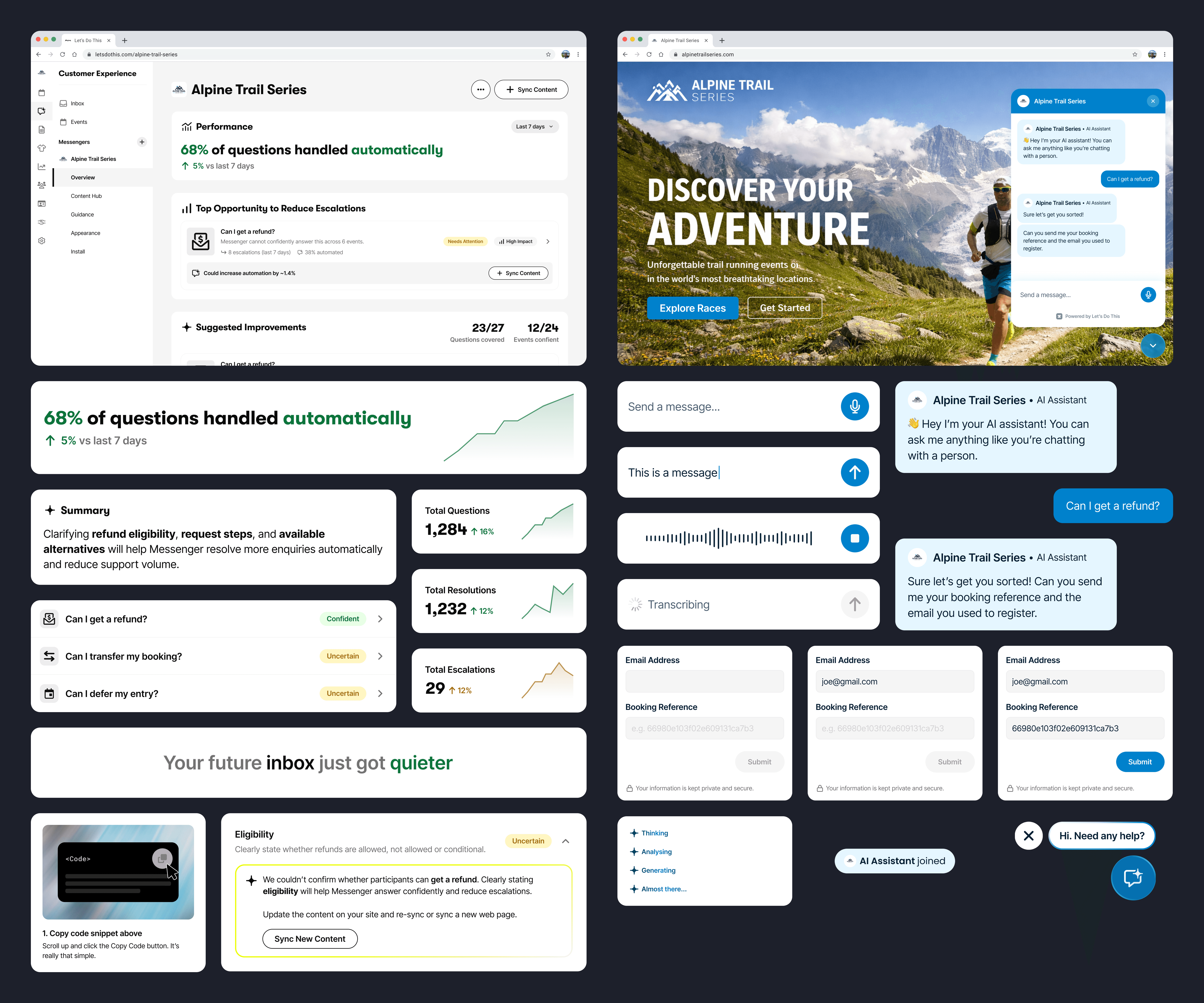
At the time the company was doubling down on AI-powered tooling for event organisers. Rather than relying on off-the-shelf chatbots, we built Messenger natively so it could integrate with event data and organiser workflows.
What success looked like
Before designing Messenger, we defined how we would measure success. Our initial goal was roughly 60% autonomous resolution, a CSAT of 4.5 and 10 self-serve organisers adopting the agent, which would represent a meaningful reduction in manual support workload.
In 6 months we were able to blast through our goals.
Understanding the problem
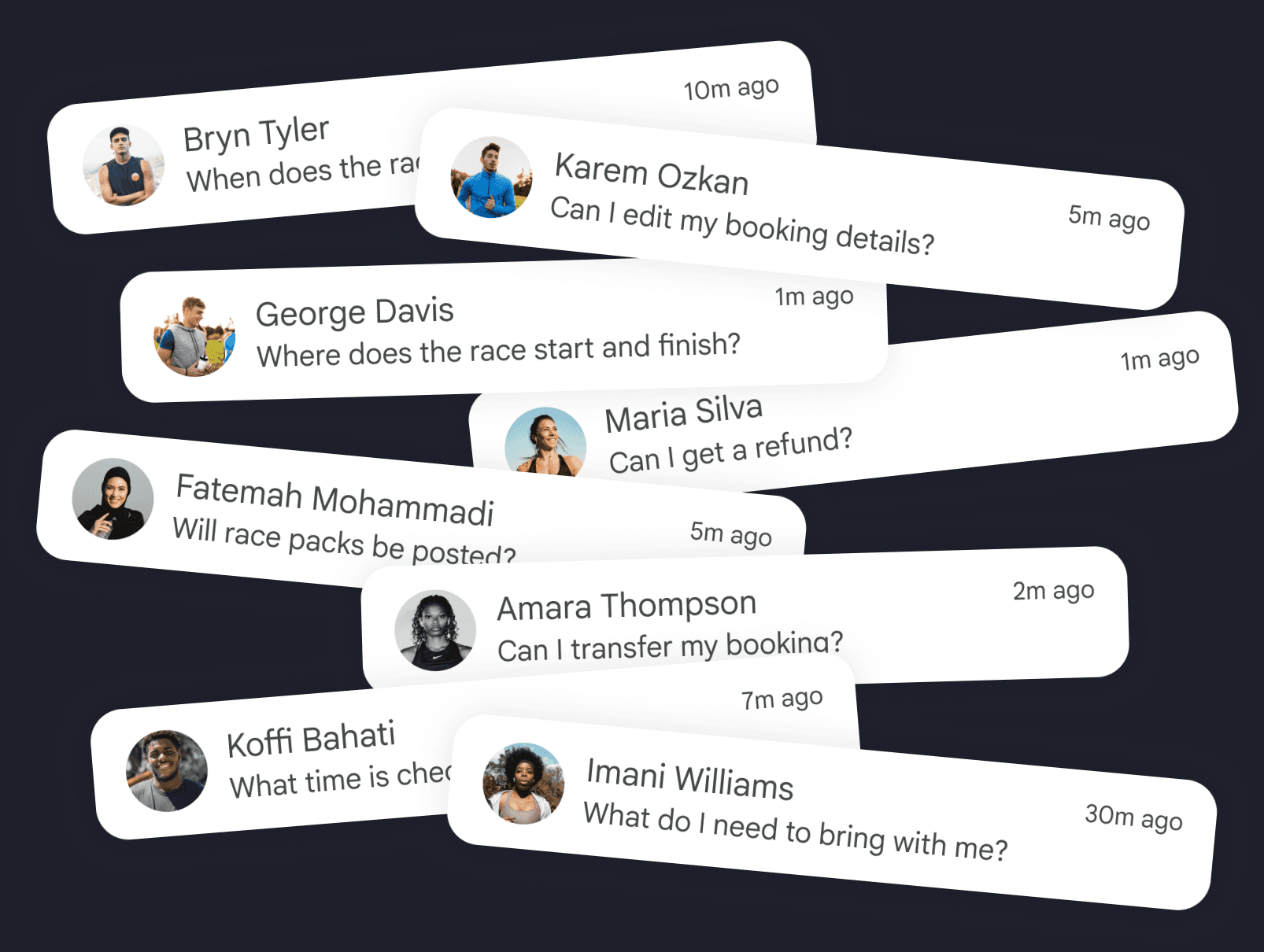
Organisers consistently described the same pattern: inboxes filled with repetitive participant questions about transfers, refunds, start times and logistics.
Support volume spikes in the weeks before race day, leaving organisers answering the same questions instead of focusing on delivering the event.
The real barrier wasn’t AI. It was trust.
Organisers weren’t worried about setting up Messenger. They were worried about what happens if it gets something wrong. Turning it on meant letting software speak on behalf of their event. Adoption came down to confidence, not capability.
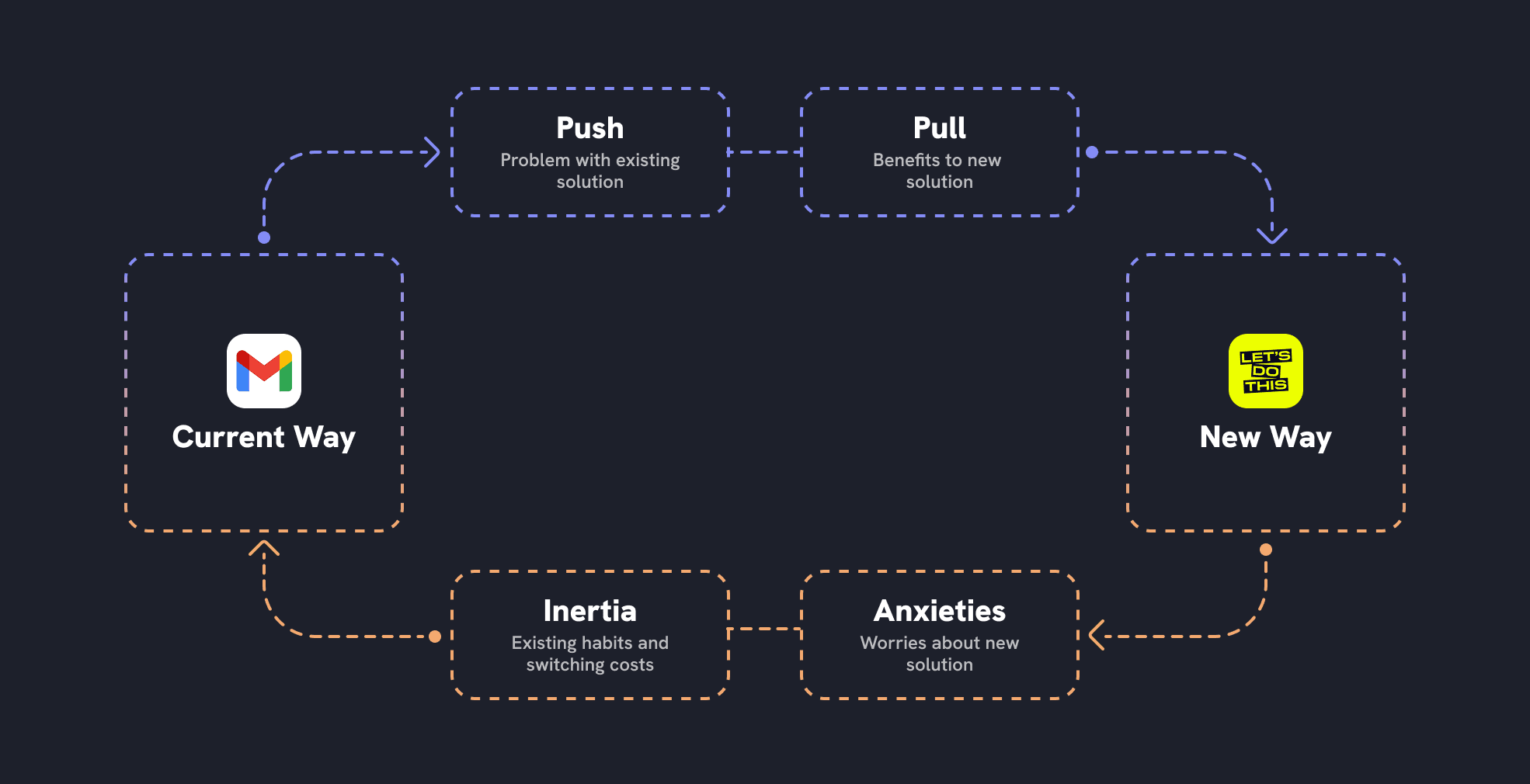
Using the Jobs to be Done forces framework. and speaking to organisers, a clear pattern emerged:
Push: "I'm drowning in the same questions every week."
Pull: "If this works, it could save us loads of time."
Anxieties: "What if it gives runners the wrong information?"
Inertia: "We've always just handled support ourselves."
This reframed the problem. Messenger didn’t just need to answer questions. It needed to reduce anxiety, build confidence, and make its value obvious quickly.
Instant comprehension and excitement
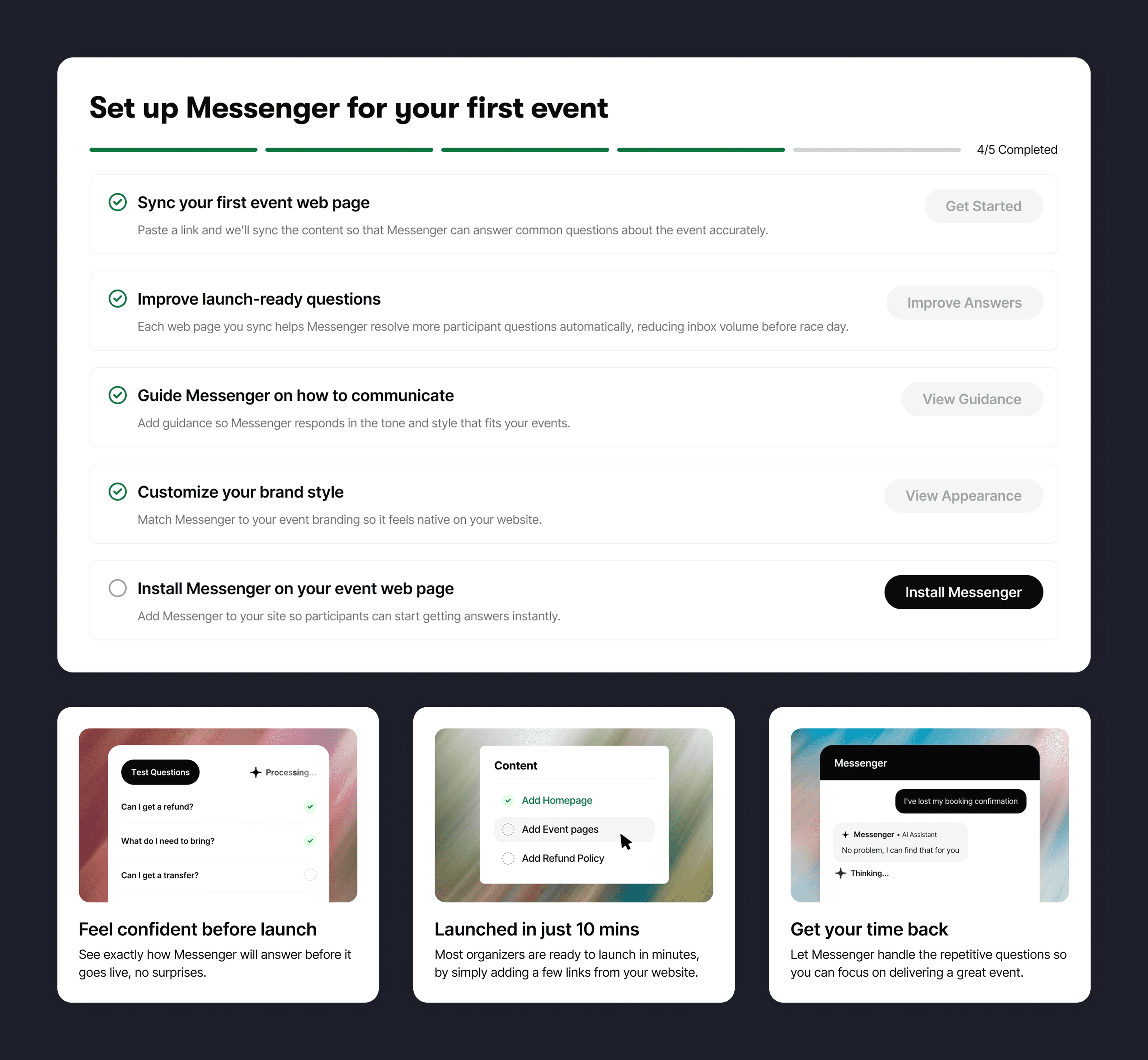
The Overview screen is the first thing organisers see. Rather than introducing Messenger as an AI product, we framed it around a moment organisers immediately recognised:
“Imagine race week without inbox overload.”
This reframes Messenger around the outcome organisers care about rather than the technology behind it.
A short video demonstrates the assistant answering real participant questions, helping organisers immediately understand what the product does and why it matters. Alongside this, a guided checklist breaks the setup process into clear steps, turning an unfamiliar AI system into something approachable and manageable.
Within seconds organisers should understand the value of Messenger, see how it works, and feel confident enough to keep going.
Starting small to make adoption feel safe
Discovery conversations revealed that organisers rarely deploy new tools across all events immediately. Instead, they prefer to test changes on a single event first.
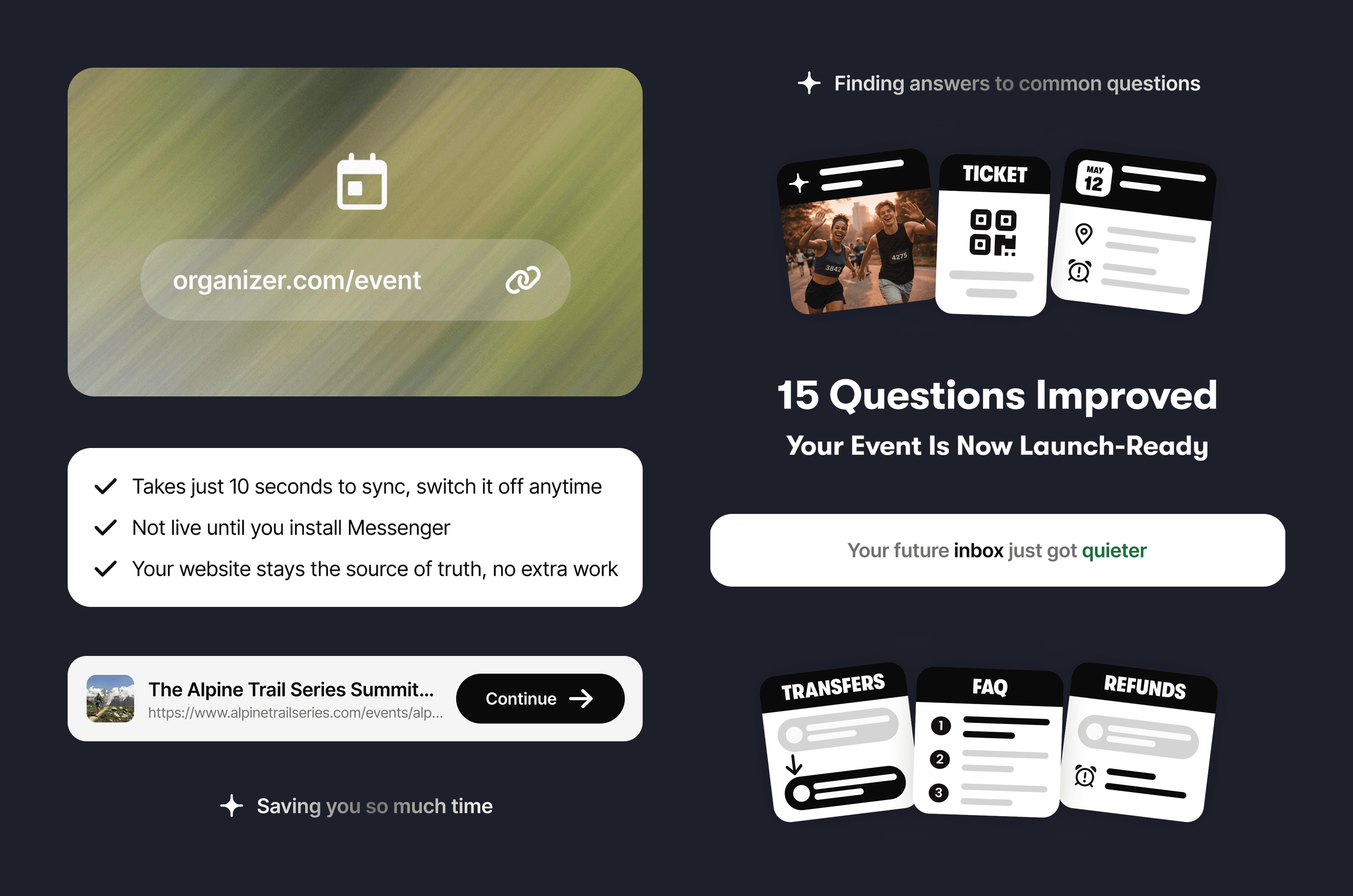
Messenger therefore encourages organisers to start by syncing one event page. This creates a bridge between the organiser’s website and the assistant, allowing Messenger to learn from the event’s existing content.
Using the event website as the source of truth also reduces a key anxiety organisers raised: the risk of information becoming outdated. Messenger automatically re-syncs this content over time, ensuring responses remain aligned with the organiser’s site.
Making AI reliability visible
Even with content synced, organisers still needed confidence that Messenger could answer participant questions correctly.
To make reliability visible, Messenger tests a set of common participant questions against the organiser’s content before launch.
Through organiser interviews, support team insights, and AI analysis of event websites, we identified 27 questions participants consistently ask. Rather than trying to cover every scenario, the goal was to cover enough real-world cases that organisers could feel confident installing Messenger.
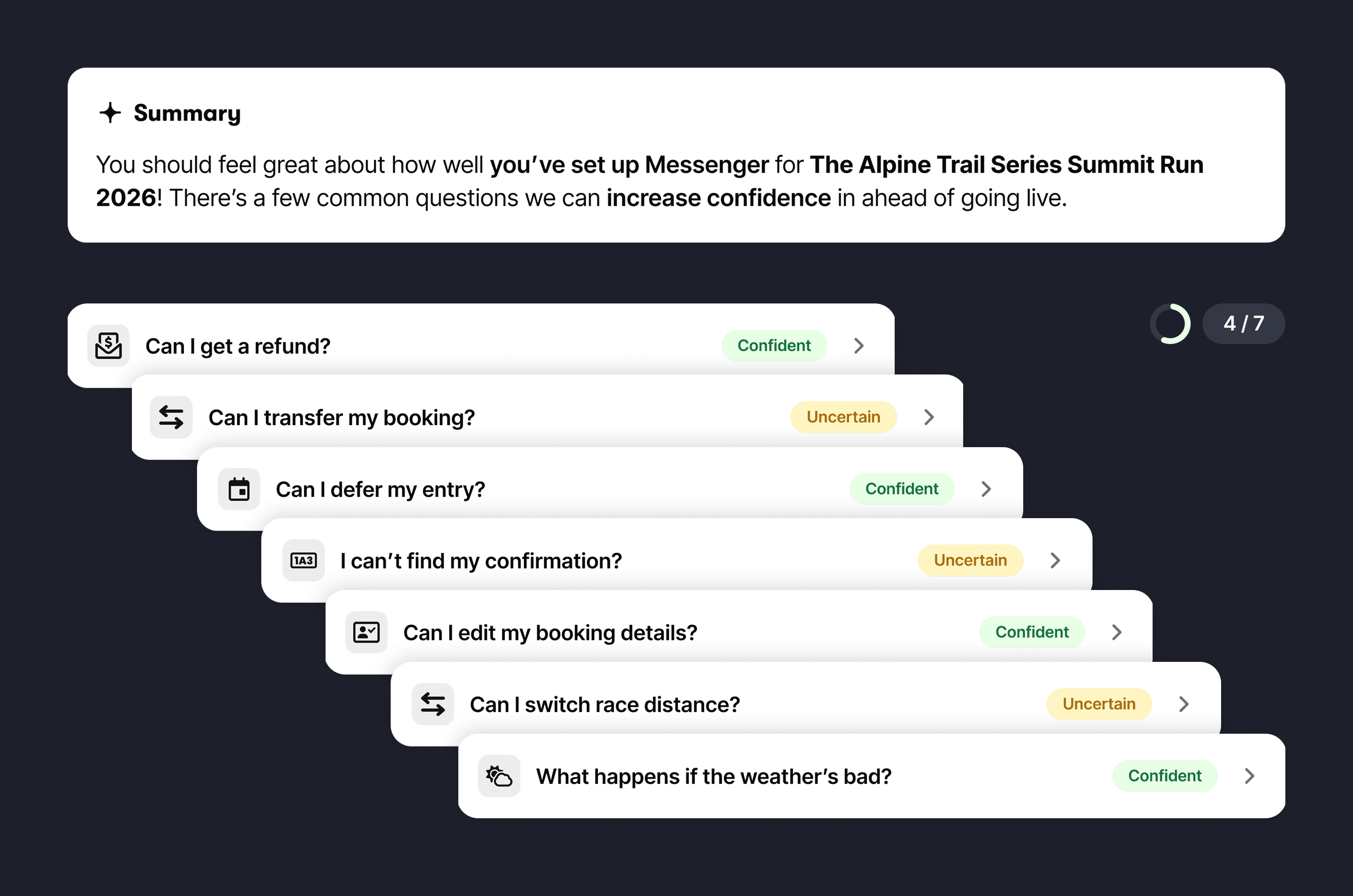
To reduce overwhelm, the questions were grouped into three tiers:
• Launch-ready: high-risk questions involving bookings or money
• Support reducers: repetitive questions that dominate inbox volume
• Confidence builders: useful but less critical participant queries
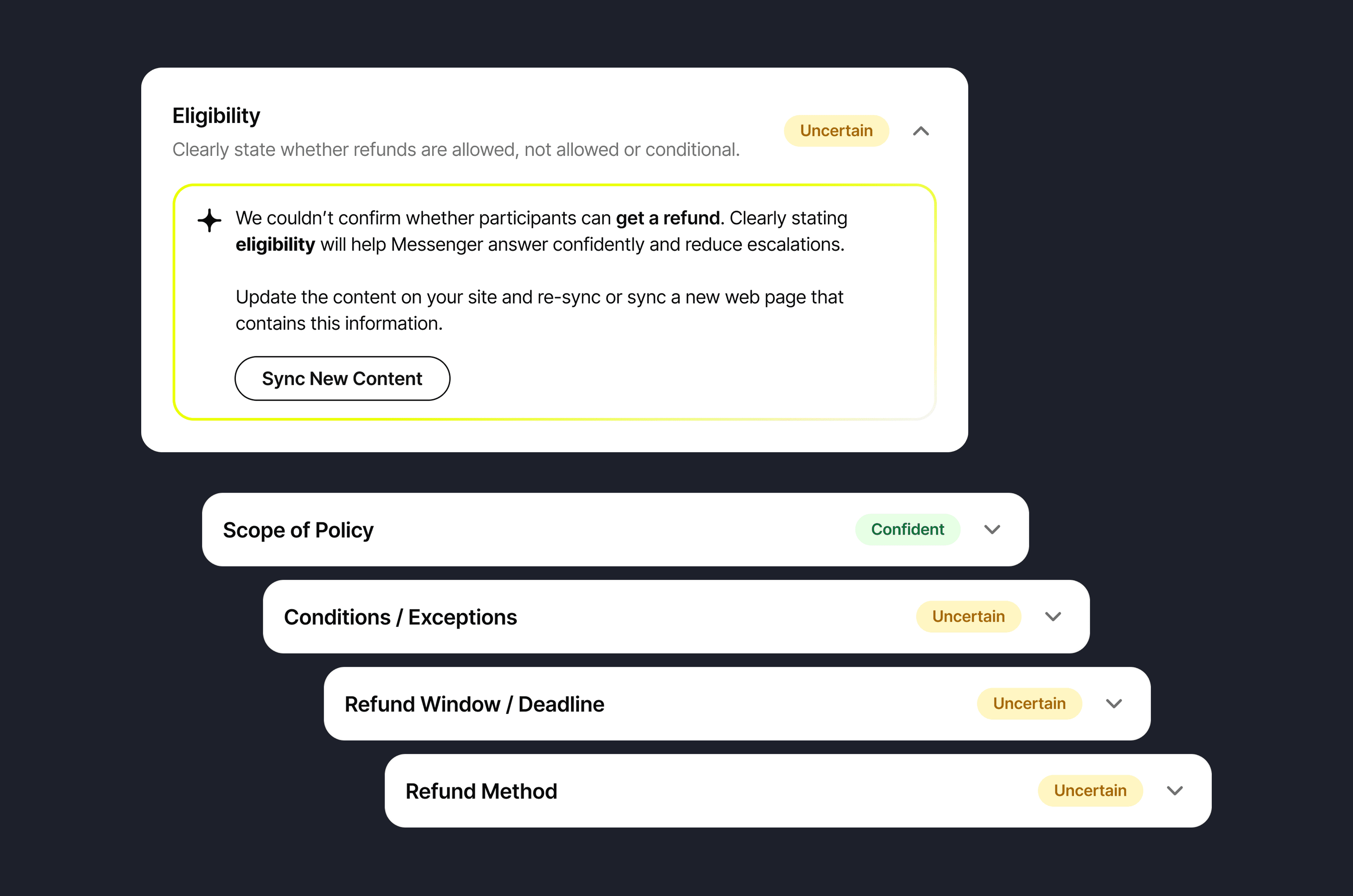
Each question was broken down into criteria that determine whether Messenger can answer it safely.
For example, “Can I get a refund?” relies on clear information about eligibility, deadlines, fees and the process. If anything is missing, Messenger marks the answer as uncertain and highlights what needs improving.
Installing Messenger was the moment of real trust
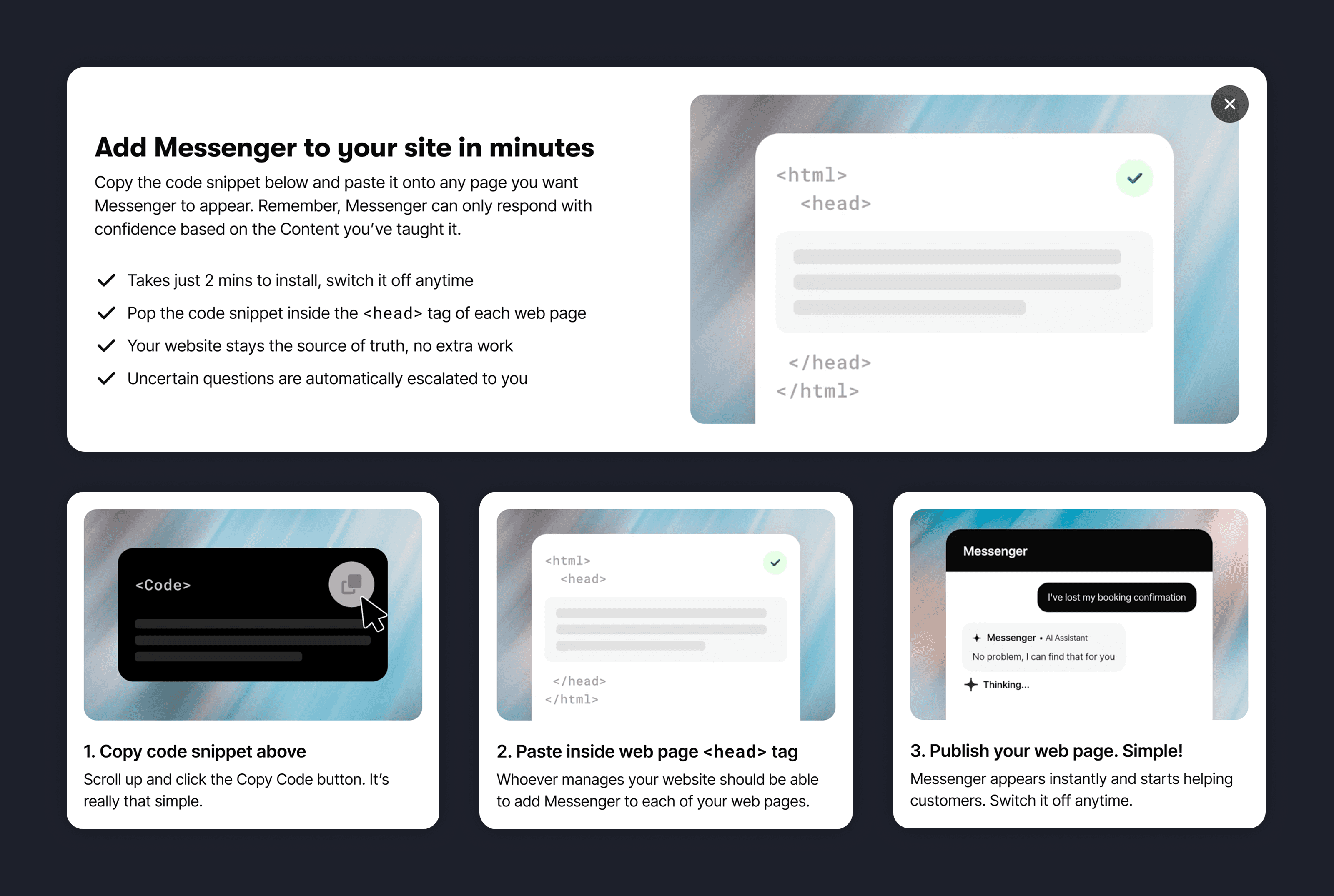
Up to this point, organisers are exploring Messenger inside the product. Installing it means leaving the platform, sending a code snippet to their website team, and trusting that the assistant will now speak directly to participants.
If this moment feels risky or confusing, adoption stops.
The installation flow was therefore designed to feel simple, safe and reversible. Clear instructions guide organisers through adding Messenger to their site, while reassuring them that the assistant can easily be disabled or removed if needed.
This framing helped reduce the perceived risk of trying Messenger for the first time.
Designing the Monday morning view
Once Messenger was live, organisers needed a simple way to understand how it was performing and where to focus their attention.
To design this view, I ran several rounds of card sorting, explored the opportunity space with AI, and tested early concepts with organisers.
One question shaped the entire structure:
“It’s Monday morning after race weekend. You open your laptop with a cup of tea. What do you want to see first?”
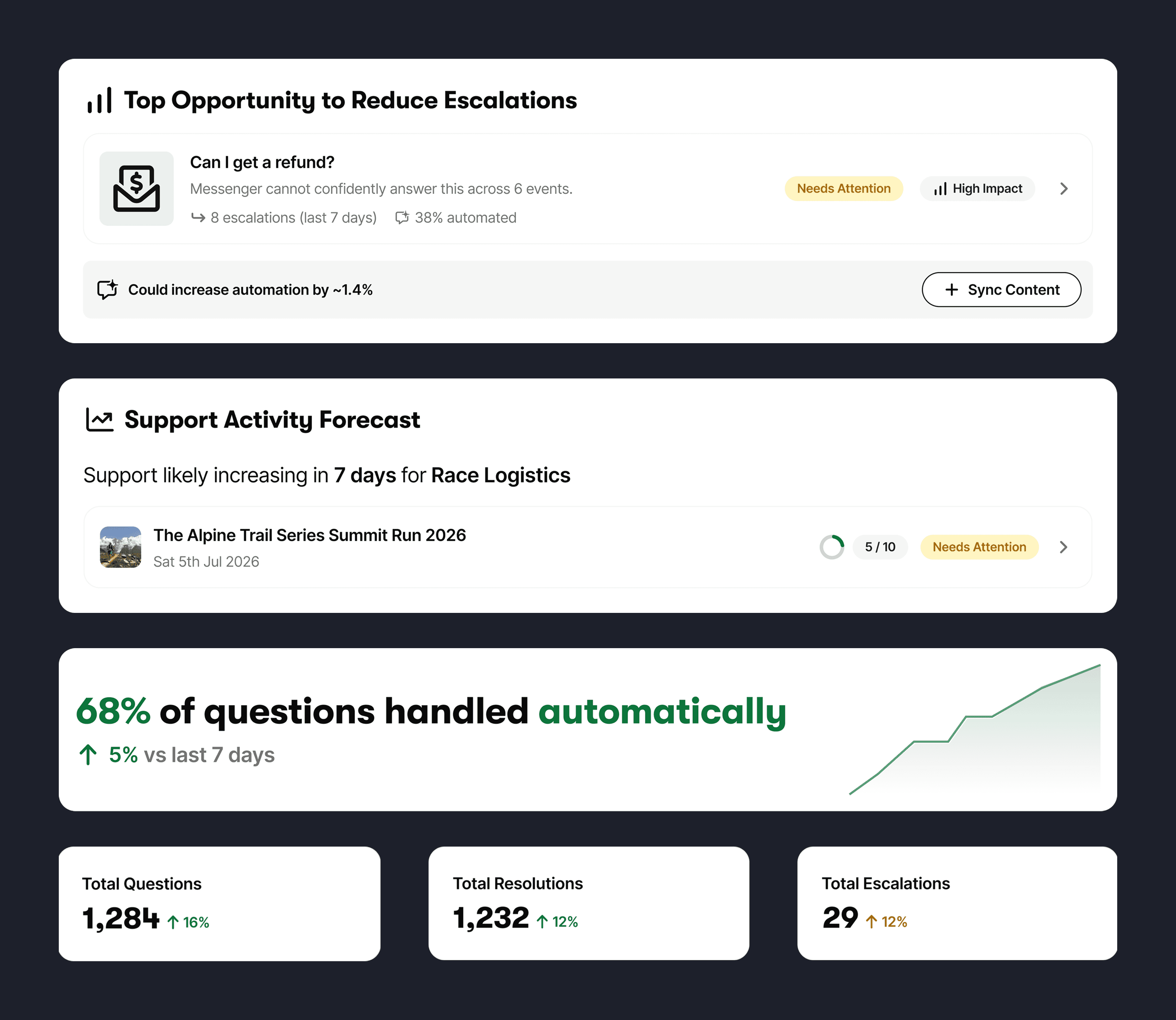
The page hierarchy reflects the answer organisers consistently gave:
Top opportunities to reduce escalations: Messenger highlights where improving content could increase automation and prevent participant questions from reaching support.
Support activity forecast: Upcoming spikes in participant questions are predicted based on event timelines so organisers can prepare content ahead of time.
Performance overview: Key metrics reassure organisers that the system is operating as expected.
Suggested improvements: Each recommendation shows the potential impact, such as estimated automation increases or how many questions it could prevent.
What participants are asking: Real participant questions reveal the issues customers are currently trying to solve.
Messenger doesn’t just report what happened. It highlights where organisers can improve coverage before the next race week begins.
Making design scalable
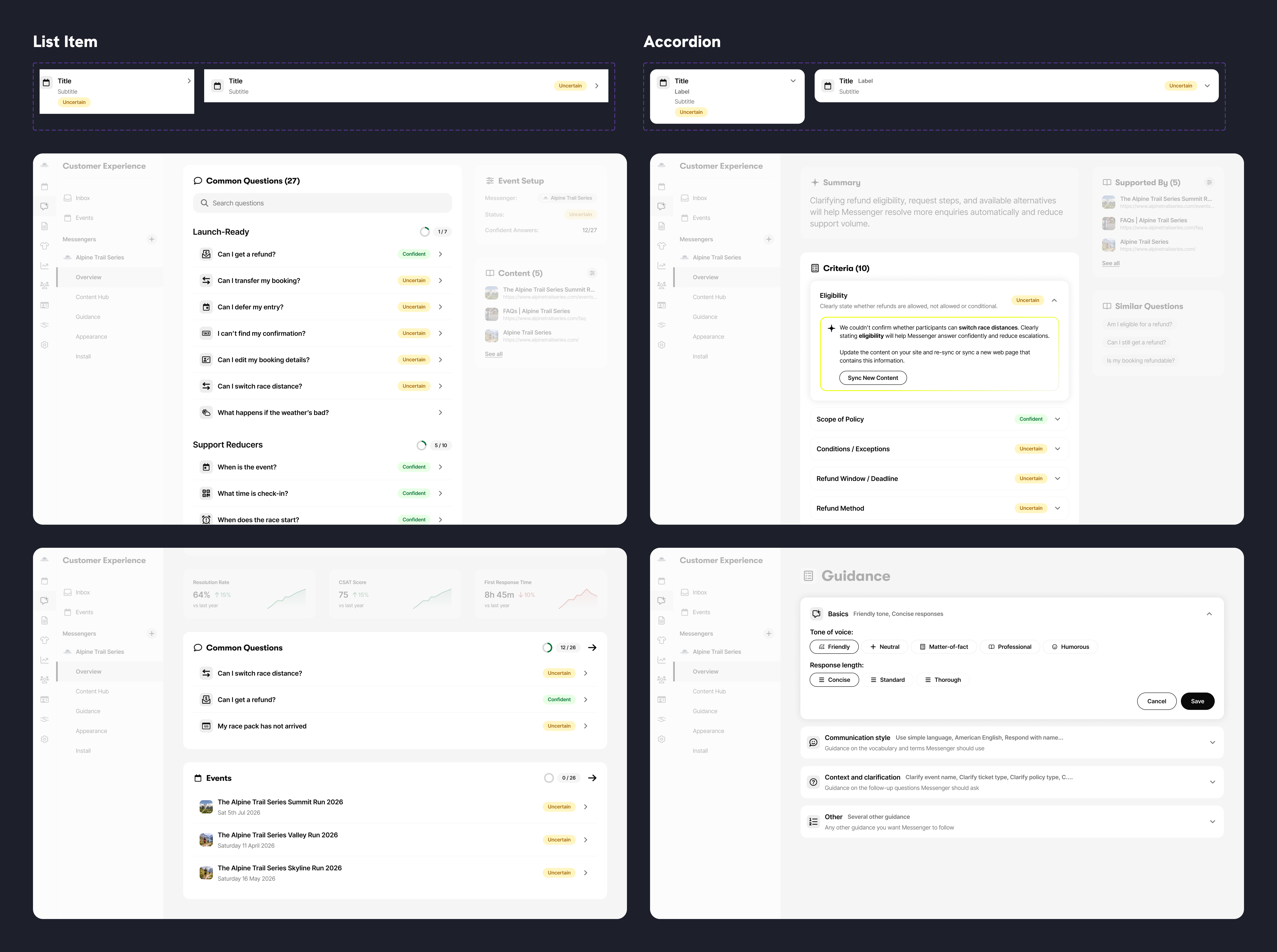
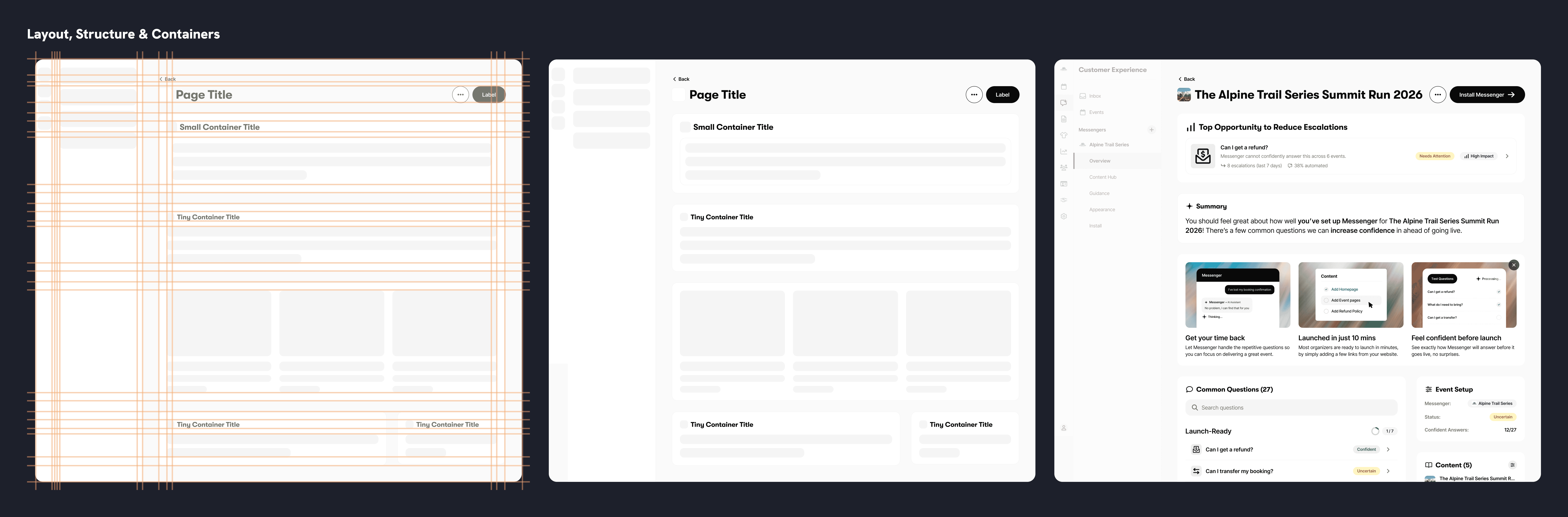
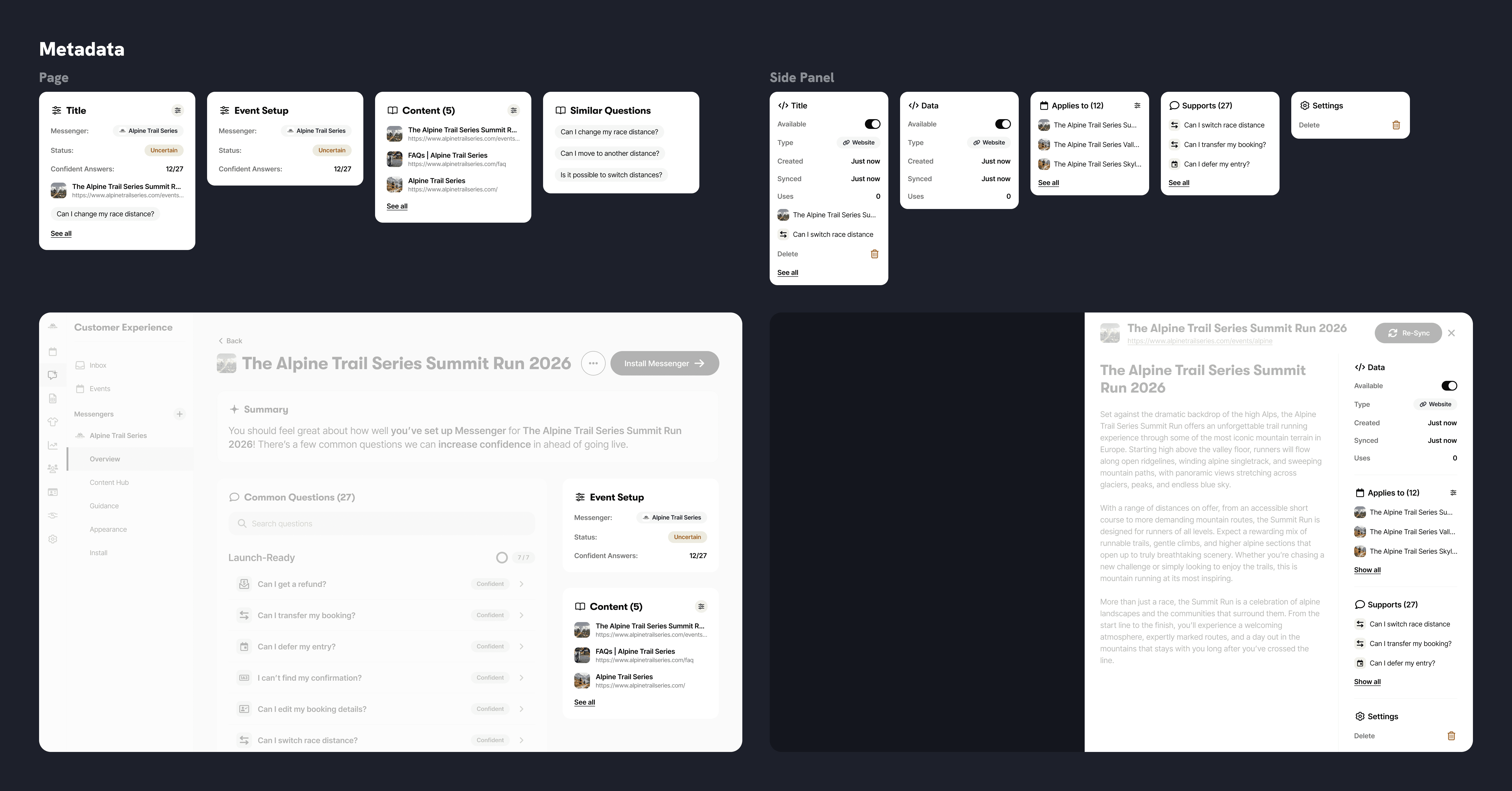
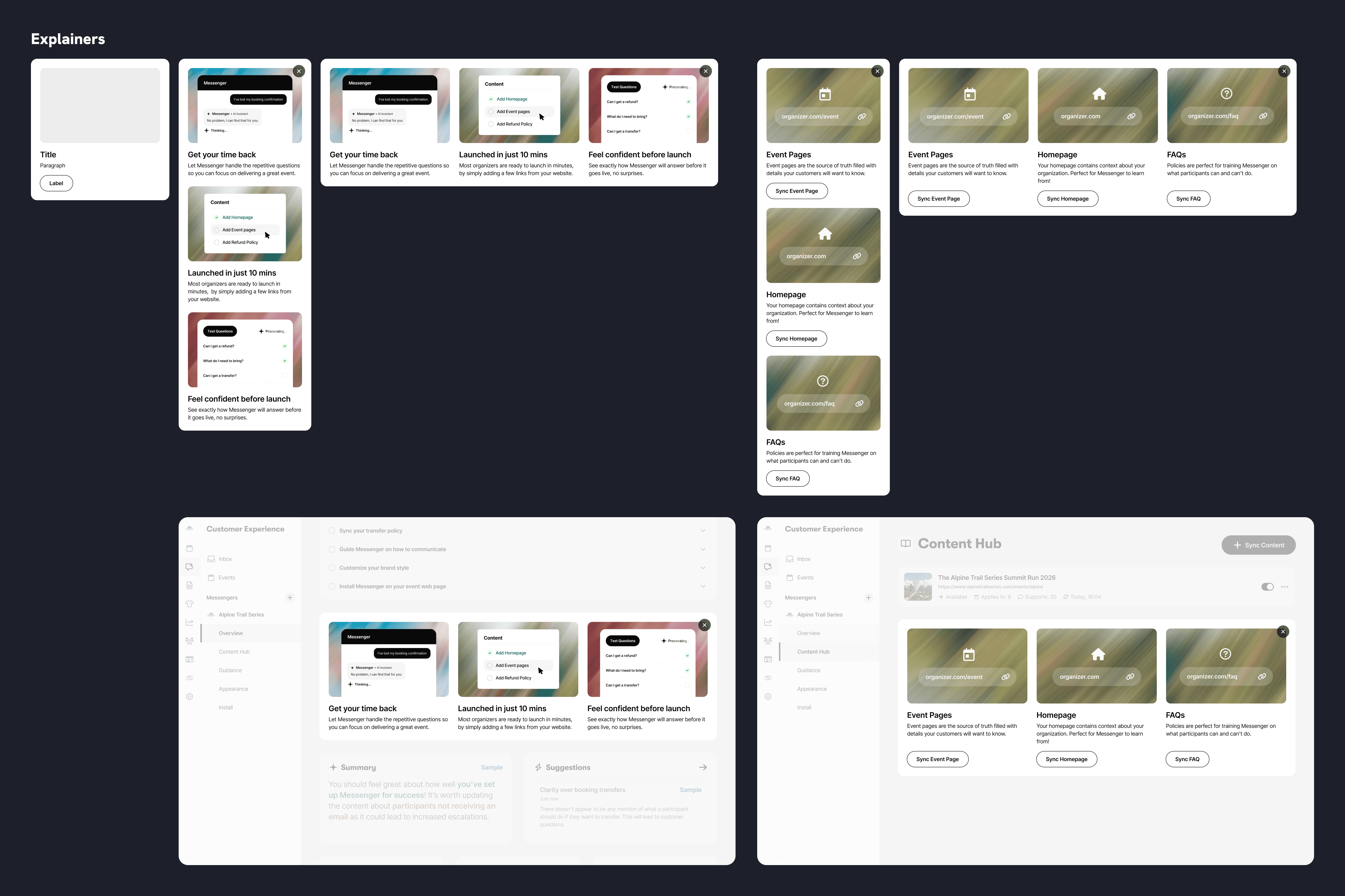
The interface was built from a small set of simple, reusable components. This kept the system consistent, made it easier to iterate quickly, and allowed new features to be introduced without redesigning the experience each time.
Designing the conversational interface
While organisers configure and operate Messenger, participants interact with it through a conversational interface embedded directly on event websites.
Designing this experience required more than simple chat bubbles. The system needed to handle multiple input methods, structured data, feedback states, and different event brands while remaining clear and trustworthy.
Clear input and feedback
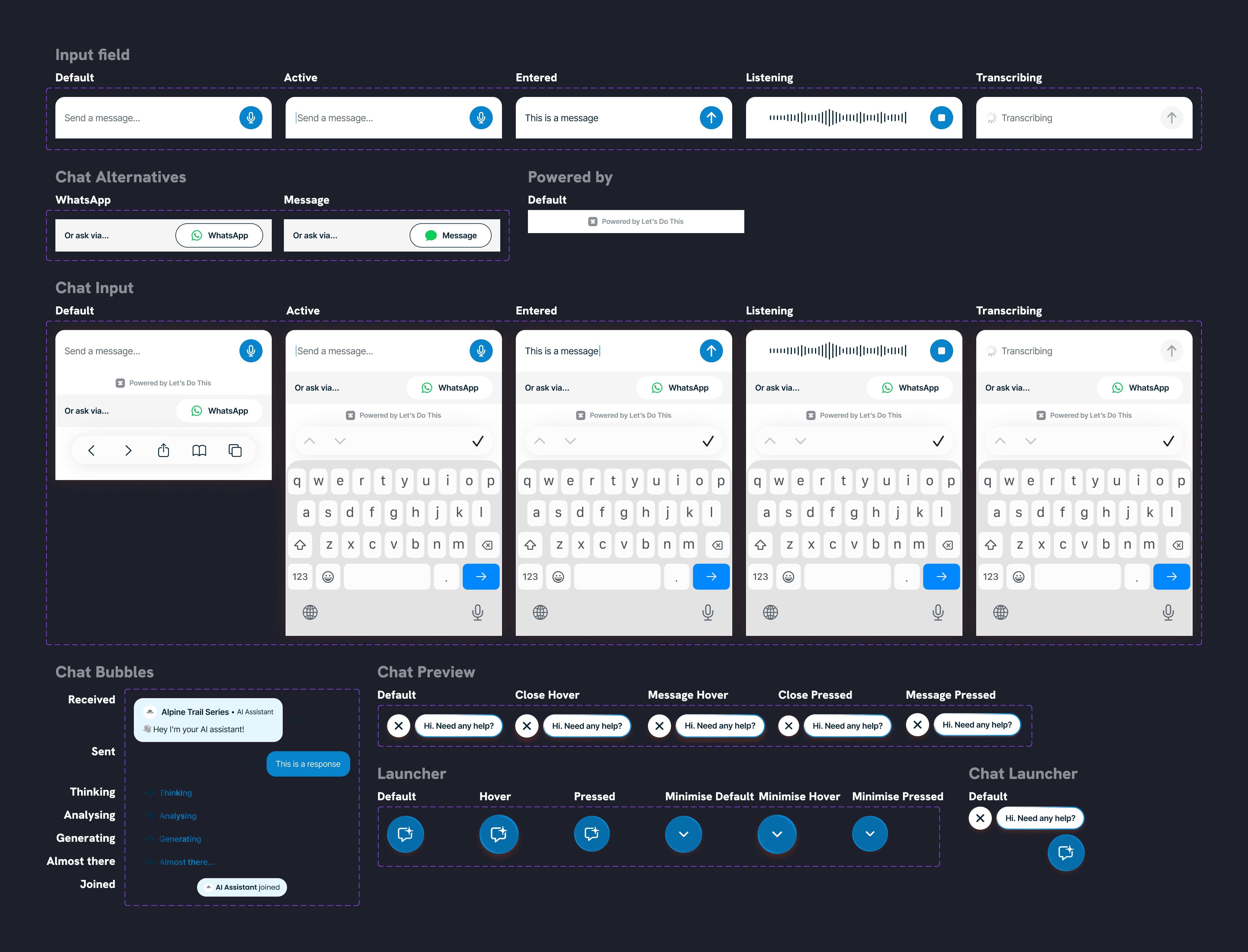
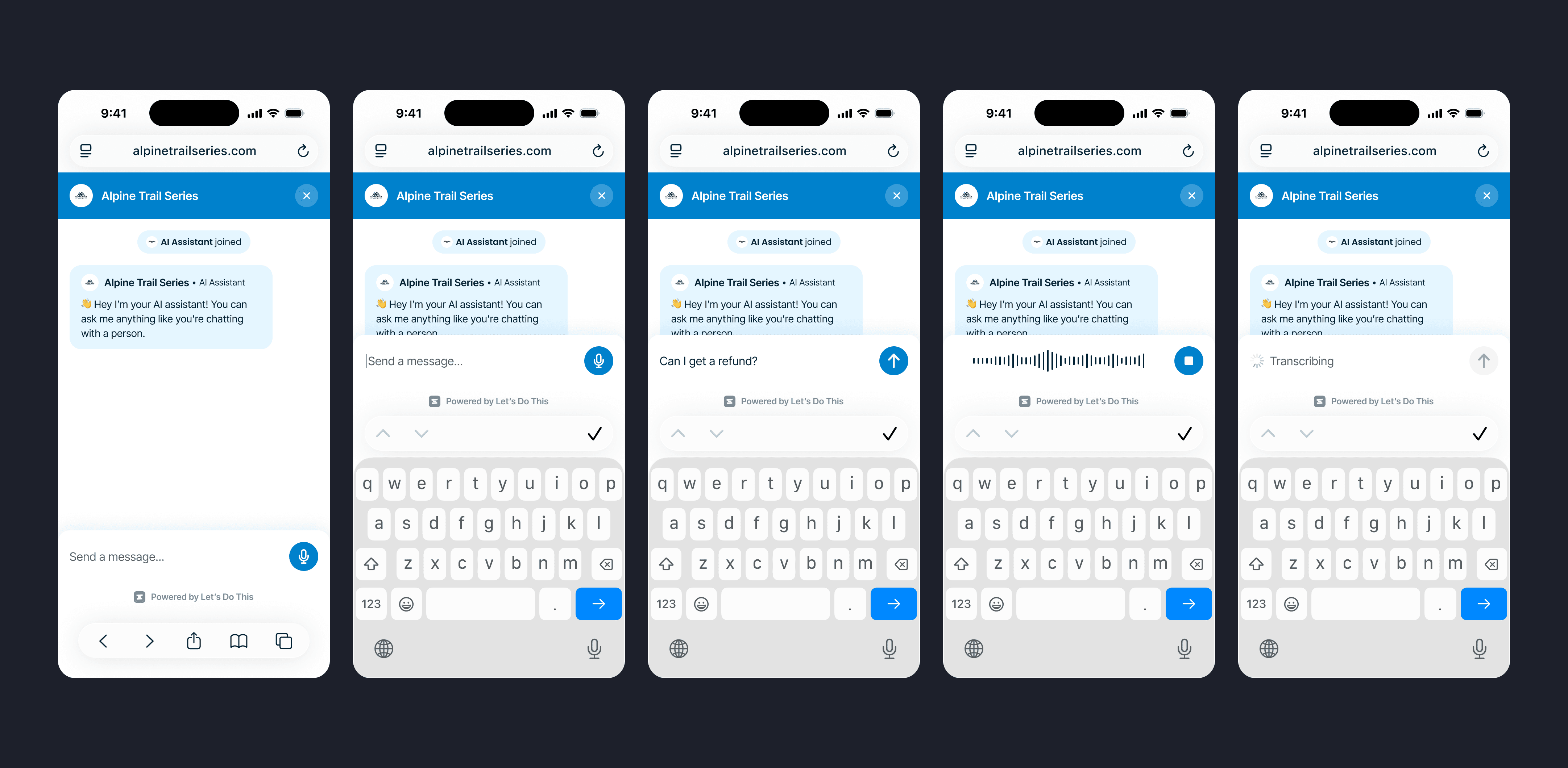
Participants interact with Messenger through both text and voice. Designing the input system meant clearly communicating what the interface was doing at each stage of interaction.
We defined states for typing, voice recording, transcription and message confirmation so participants always understand how their input is being captured and processed.
Capturing structured data safely
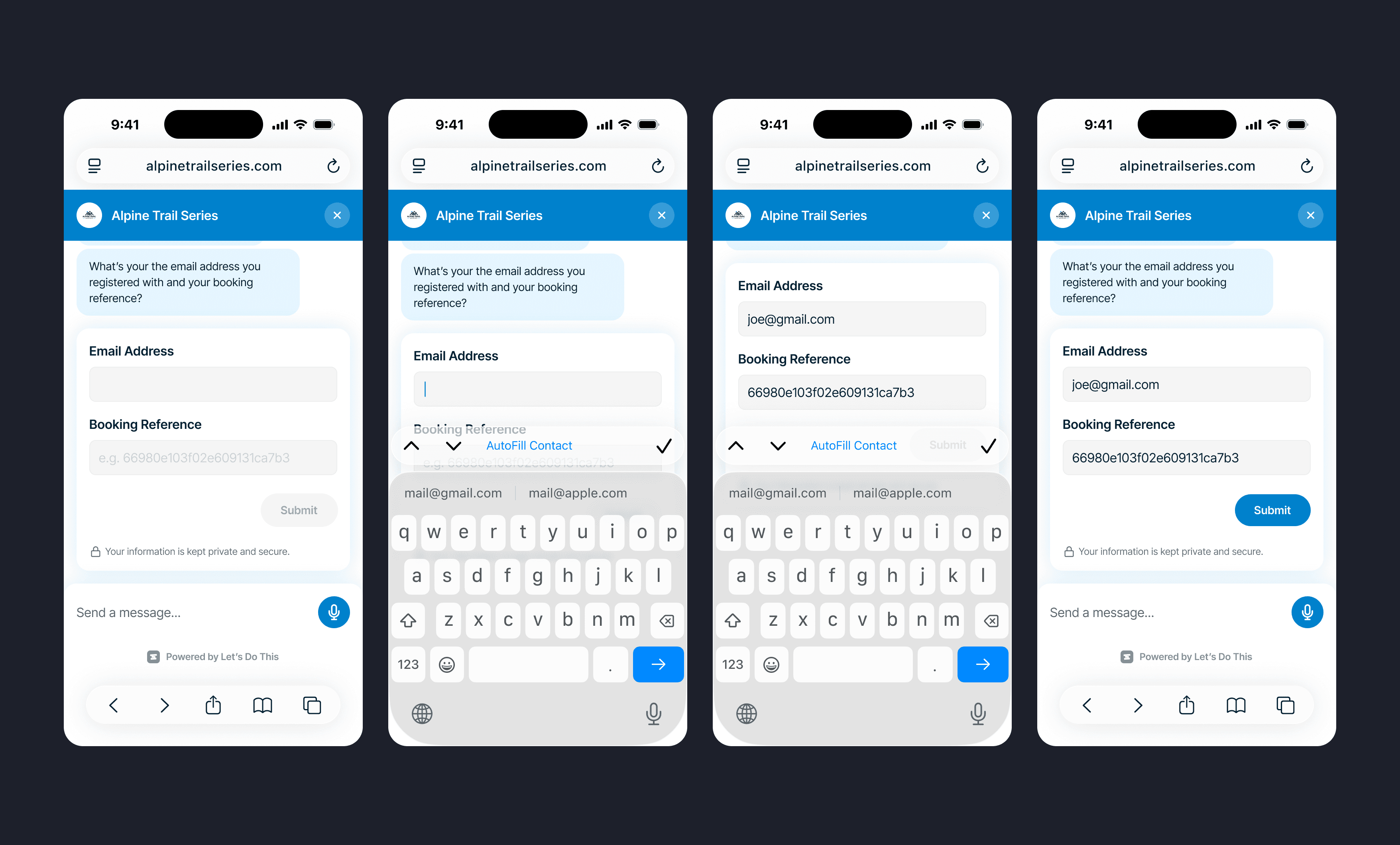
Some conversations require participants to provide structured information such as email addresses, booking details or registration information.
Instead of free-form chat, Messenger uses structured inputs within the conversation. This allows the system to validate information in consistent formats while reassuring participants that sensitive data is handled securely rather than appearing as plain text in a chat thread.
Designing for many brands
Messenger needed to feel native across a wide range of event websites. We developed a flexible colour system that adapts to organiser branding while preserving contrast, readability and accessibility across light and dark surfaces.
Together these interaction patterns ensure Messenger feels reliable and predictable for participants, reinforcing the trust organisers need to confidently deploy the assistant.
From support tool to communication platform
Messenger began as a way to automate repetitive participant support questions. But as organisers started interacting with the system, a broader opportunity became clear.
Participants naturally prefer conversational interfaces over searching through event websites. Instead of static FAQs and one-way emails, Messenger created the foundation for ongoing conversations between organisers and participants.
Starting with chat allowed us to prove the value safely, but the long-term vision was broader: one AI assistant helping organisers communicate with participants across multiple channels including chat, email and messaging platforms.
This work established the foundation for that future.
Designing AI products means designing trust
The biggest lesson from this project was that AI capability alone doesn’t drive adoption.
Organisers weren’t evaluating Messenger based on how sophisticated the model was. They were evaluating whether they could trust the system to represent their event.
Designing Messenger therefore meant focusing less on the AI itself and more on the surrounding system: making reliability visible, reducing anxiety during setup, and giving organisers clear control over how the assistant behaves.
Confidence is the product. AI is just the mechanism.